Loading page
Egypt ETA Base — Connection & Code Mappings
by TechnoVision · Odoo App
One ETA connection, shared.
So you buy the filing module you need and not the other one. It holds the Egyptian Tax Authority credentials, obtains and refreshes the access token, and carries the ETA item, unit and tax code mappings. On its own it files nothing - it is what the e-Invoice and e-Receipt modules both stand on.
One-off licence per Odoo instance. The store bills in its own base currency, so checkout may differ by a few cents.
- Odoo 18 & 19
- Required by e-Invoice and e-Receipt
- One connection per company
- Version 18.0.1.0.5 · 2026-09-24
Security Center
Live82
Score
1.2k
Events / 24h
3
Alerts
Export volume · 14 days
Unusual export detected
res.partner · 4,812 rows · outside business hours
Illustrative UI. Product screenshots to be dropped into this frame.
What it does
The part of ETA filing that is the same whatever you file
The ETA connection
Identity and API URLs, client id and secret, taxpayer registration number, branch and activity code, and the signing service URL. One record per company, isolated by company.
Token handling
Obtains an access token and refreshes it before it expires rather than after a 401. A token that dies mid-submission costs a filing round trip.
Credential separation
Two access levels. ETA User prepares and files; ETA Administrator holds the credentials. An accountant needs the first and has no business with the second.
The code mappings
ETA will not accept a free-text product or unit. The item type and item code live on the product, the unit code on the unit of measure, and the tax type and subtype on the tax - on the records your accountant already maintains.
Each filing module bought on its own
e-Invoice and e-Receipt authenticate to the same Authority with the same credentials over the same transport. With that shared part here, each is bought on its own; if you need both, this one is installed once and shared.
Pricing
This one is free, and there is no paid version of it.
No licence fee, no trial period and no feature held back for an upgrade. It installs from the Odoo Apps Store like any other module. Installation and support are available as paid services, quoted on request — they are never a condition of using it.
Demo
0:24 of the real thing
Recorded from a running Odoo 18 with real records. No slides, no mock-ups, and nothing sped up.
Screenshots
Product gallery
4 captures of the shipped product: the connection form, item code on the product, unit code on the unit of measure, tax type on the tax.
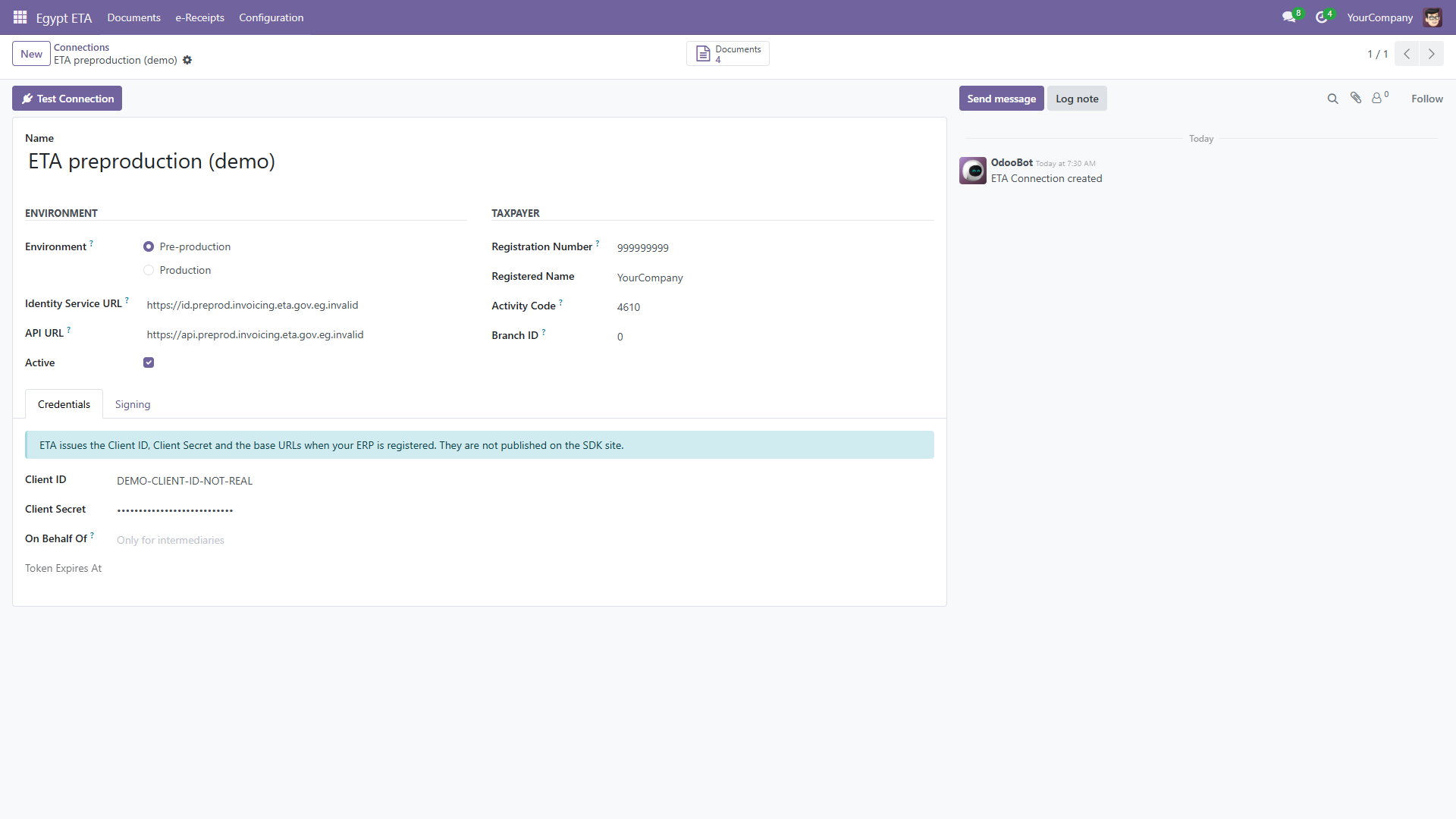
The connection form
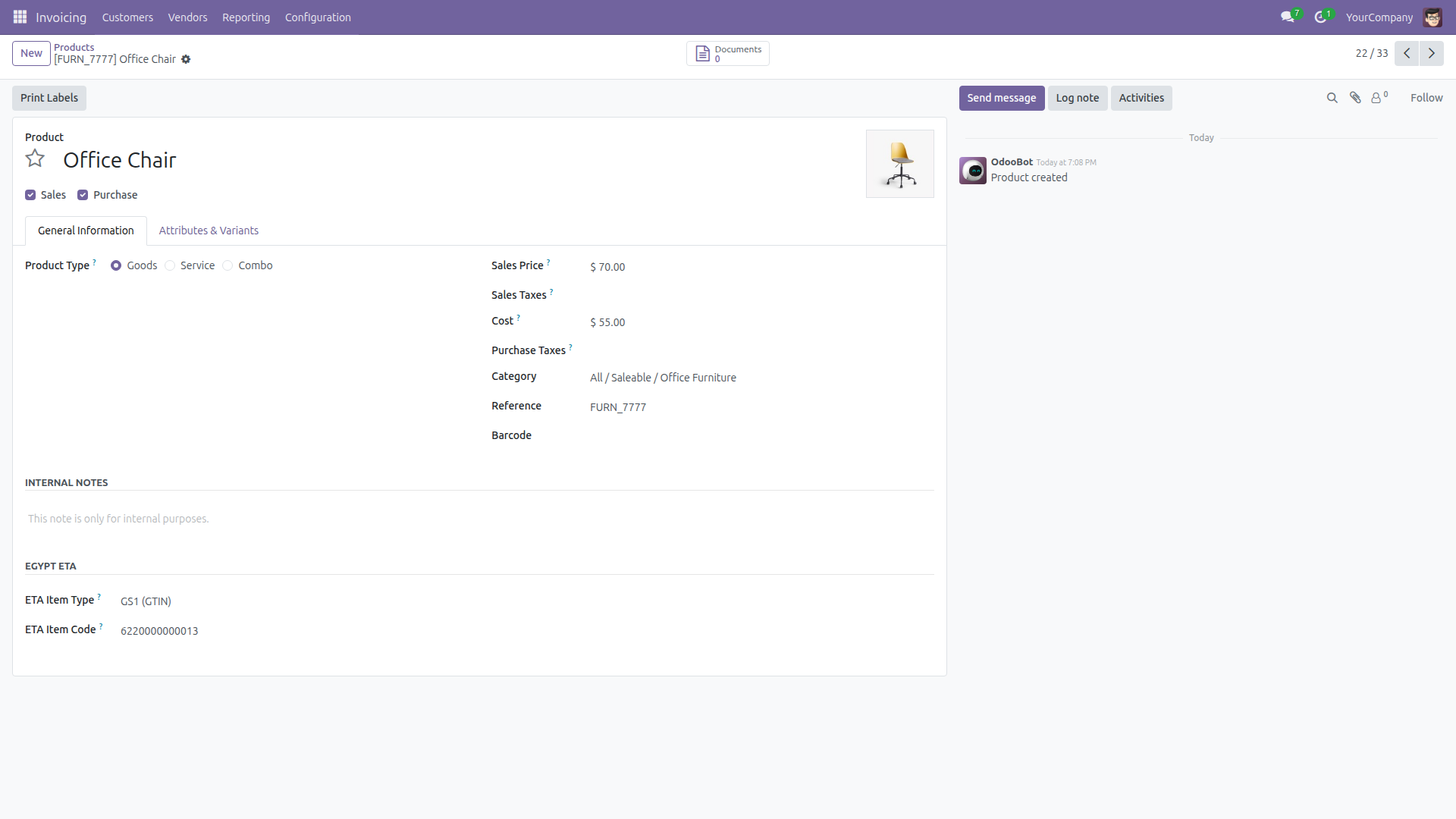
Item code on the product
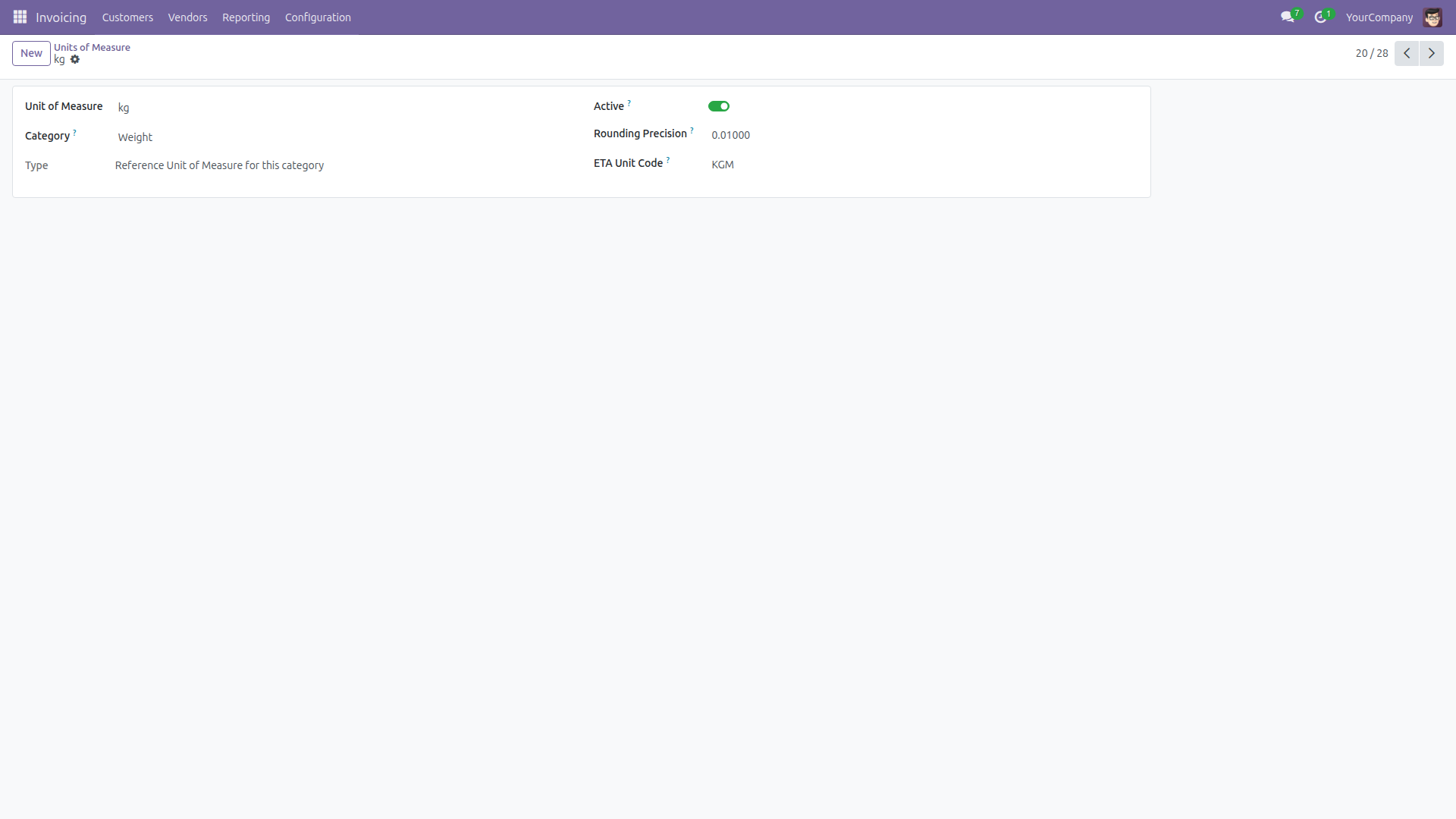
Unit code on the unit of measure
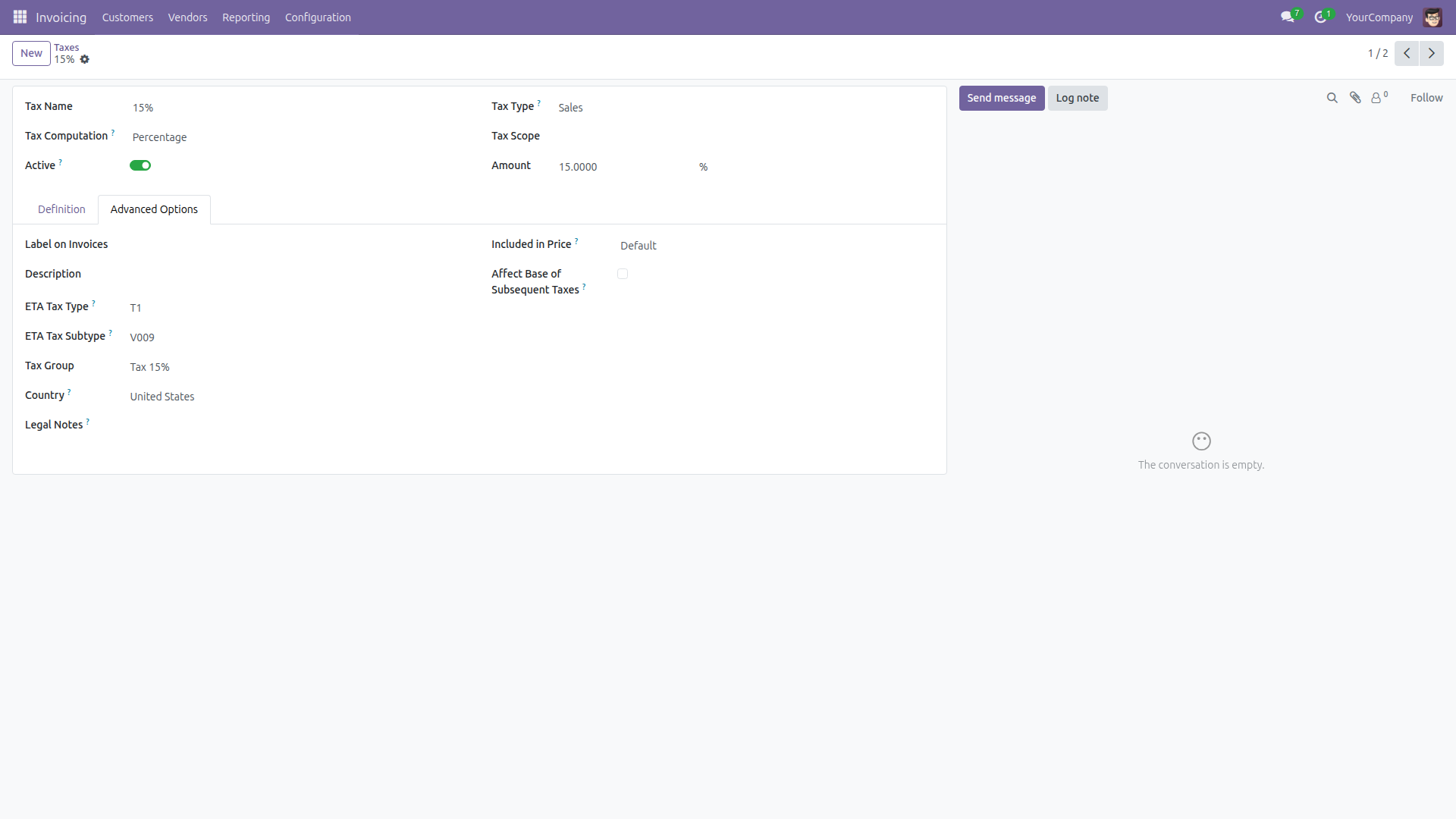
Tax type on the tax
How it works
Installed in minutes, useful the same day
- 1
Install
With e-Invoice or e-Receipt, which require it, or on its own.
- 2
Set up the connection
Environment, taxpayer, branch and the credentials ETA issued when your ERP was registered.
- 3
Map the codes
Item codes on products, unit codes on units, tax types on taxes.
- 4
Add a filing module
e-Invoice for invoices and credit notes, e-Receipt for point-of-sale receipts.
FAQ
Questions we get asked
No. It holds the ETA connection only. Add the filing module that matches your obligation: Egypt ETA e-Invoice for sales invoices and credit notes, Egypt ETA e-Receipt for point-of-sale receipts, or both.
The shared part used to live inside e-Invoice, which meant e-Receipt required it - and the Apps Store bills a module together with what it requires, so a business that only needed receipts was quoted for both. Moving it here means each filing module is bought on its own, at its own price.
As part of the paid module you installed it for. If e-Invoice or e-Receipt does not behave as its page describes, email info@technovision.dev with your Odoo version, edition and hosting.
Odoo 18.0 and 19.0, each its own listing on the Odoo Apps Store.
Get Egypt ETA Base — Connection & Code Mappings
Install from Odoo Apps, or talk to us about a guided rollout across multiple companies.